








FEATURE FOCUS: Stay Ahead With Calendar Views
Our Alerts and Maintenance Calendars give you a quick, visual snapshot of everything on the horizon - so nothing slips through the cracks. It's perfect for day-to-day planning and ideal for keeping things running smoothly during times when employees are on holiday or you need to plan your fleet for the weeks or months ahead.
Our first calendar is an alerts calendar. This can be found under the Organization tab, then select Alerts.
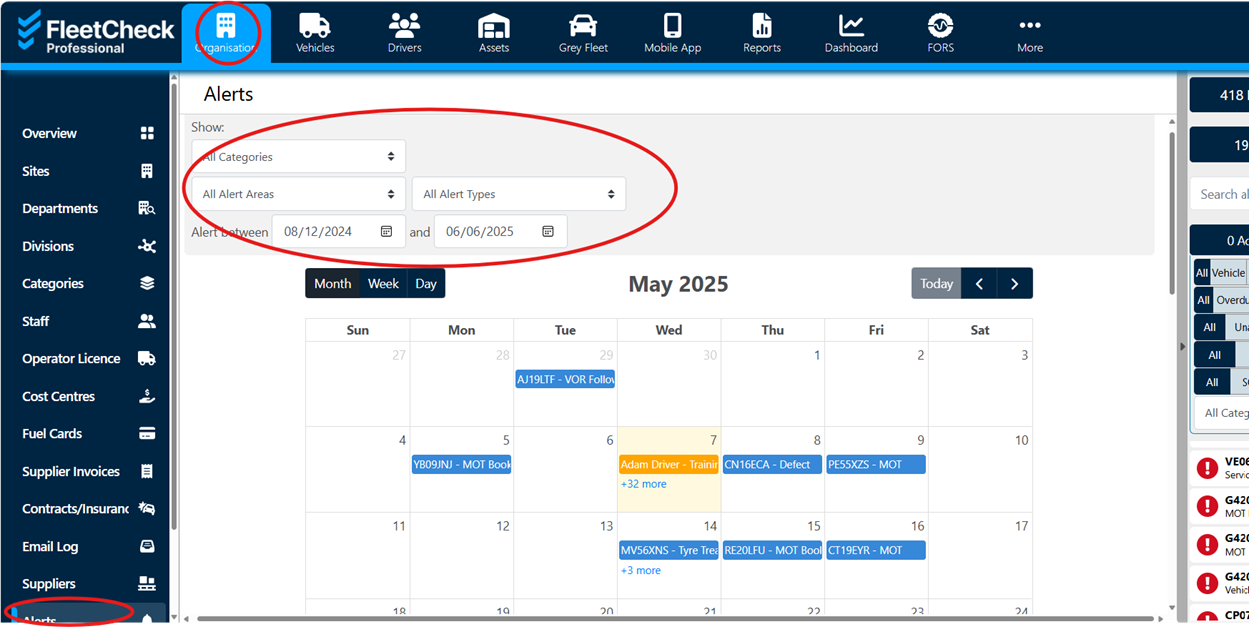
Please note the filter options at the top.
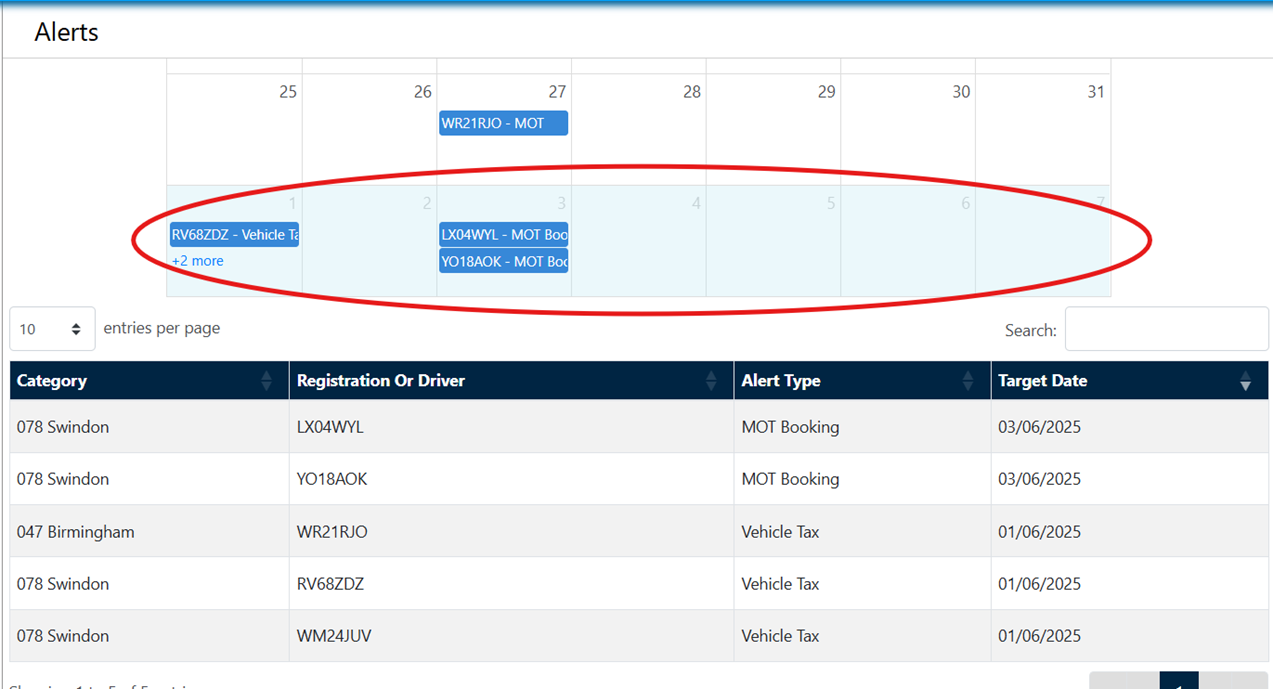
Selecting certain days will filter the list below to show any alerts during that period.
There is also a calendar for maintenance bookings.
To access this go to Selecting certain days will also filter the list below to show only alerts during that period.
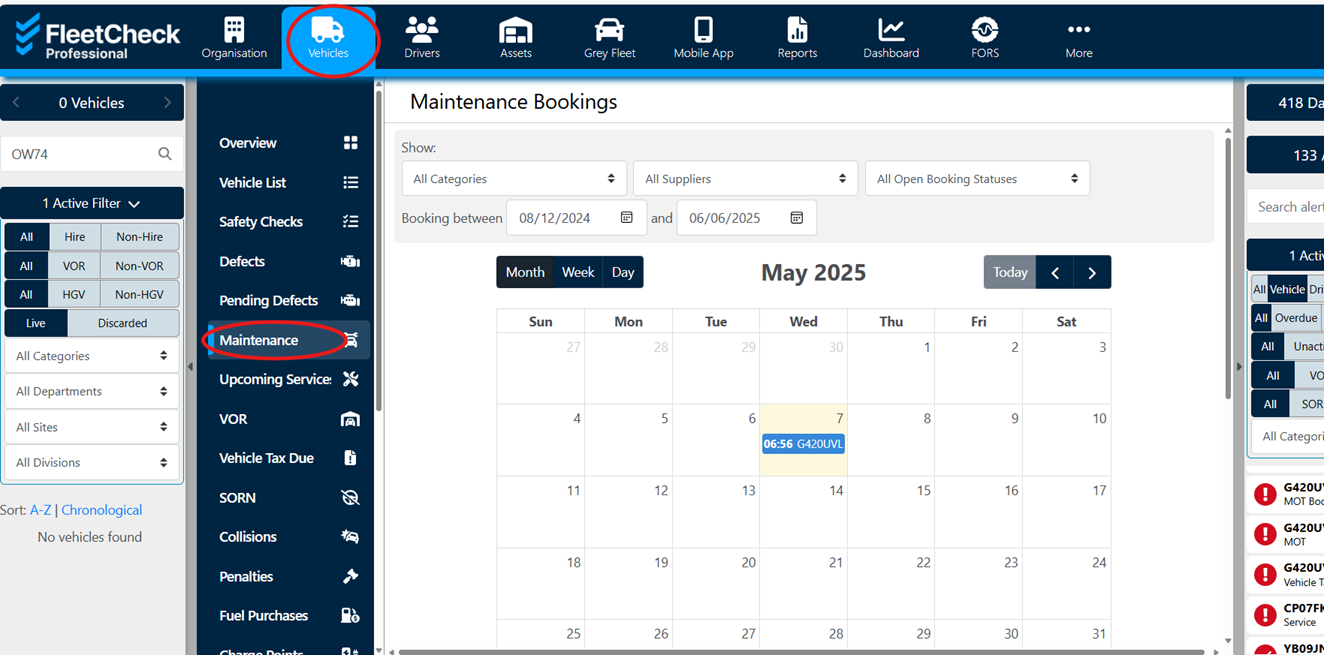
Similarly, there is one for maintenance bookings.
To Access this go to Vehicles then select Maintenance
Whether you prefer a list view or a visual calendar, we’ve got you covered.
Tip of the Month
How to Spot Incomplete or Inaccurate Checks
By setting the time duration you expect a check to be completed within helps you quickly flag checks that are rushed – or taking longer than they should. It’s a simple way to boost accountability and identify where extra training might be needed. For example. If a driver completes a walkaround check in 20 seconds that you expect to take 5 minutes, you can assume that the check may not be completed accurately.
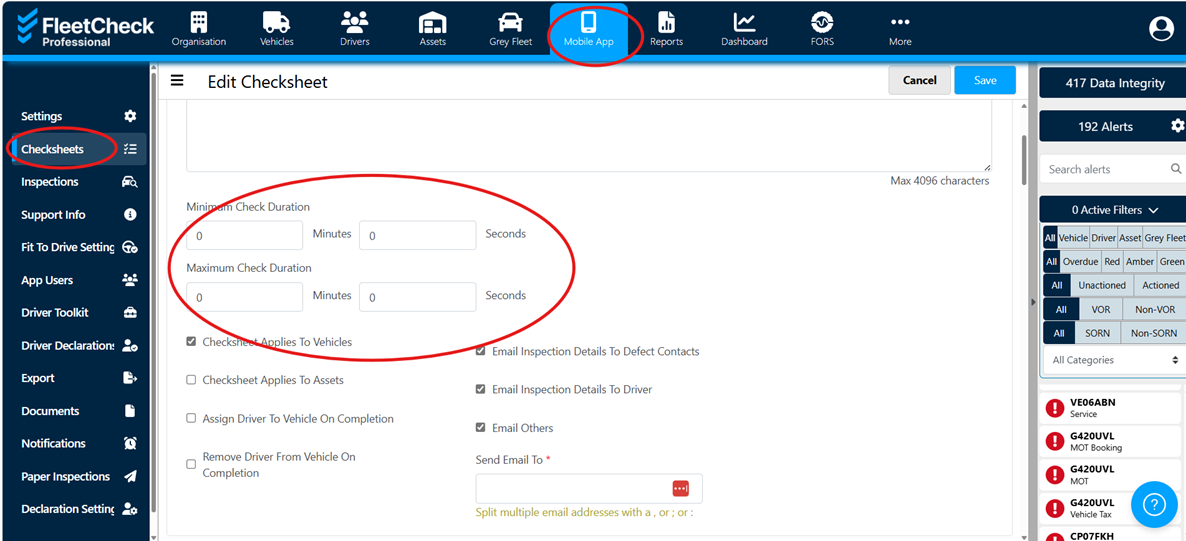
First we need to set the time you expect a check to take
Go to Mobile APP then Checksheets, then select the checksheet you want to update. Enter the duration times in the duration boxes.
Then we can schedule to reports on this information.
The best way to find a report is by searching keyworks that relate to your query and then browsing the list to see which suites your needs best. For example, Report C662 will show you any checksheets completed outside of the expected duration and can be scheduled to be pulled off weekly for inspection.
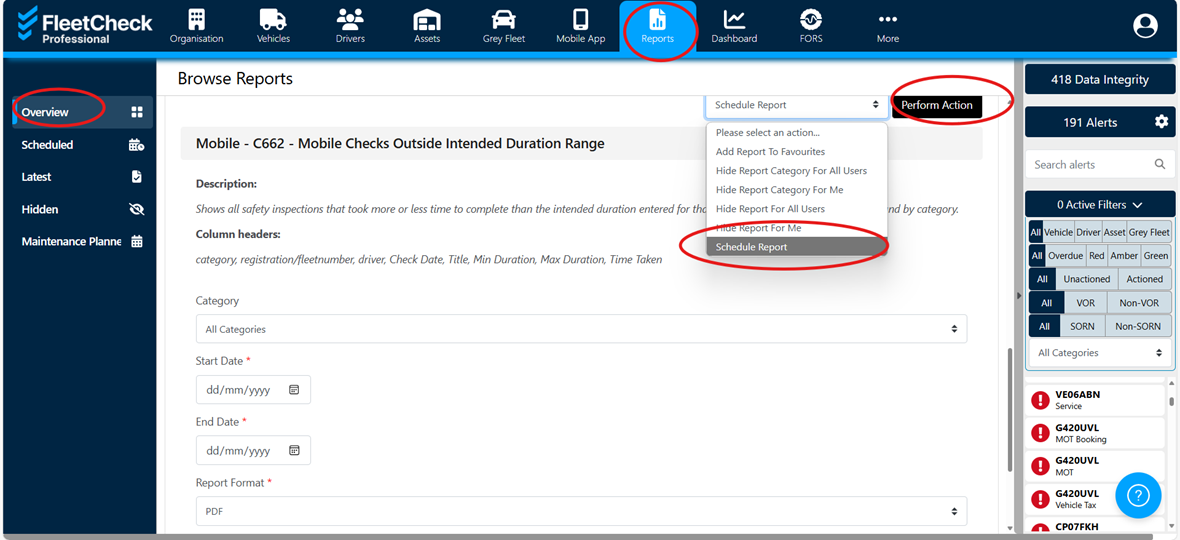
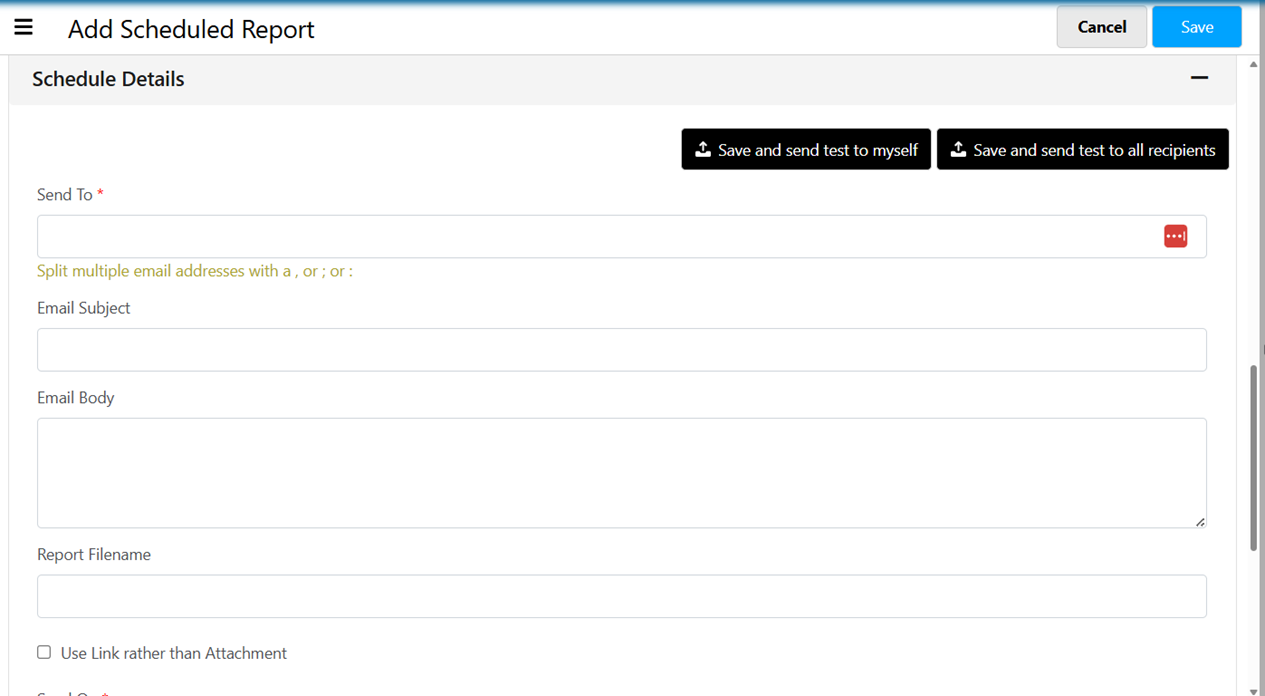
Once you click the perform action button, you will be requested to fill in the scheduling details.